Rank tracker for your site's keywords
See where your site ranks in Google for each tracked keyword, which page ranked, and how the position moved. Check now or once a week.
What it does
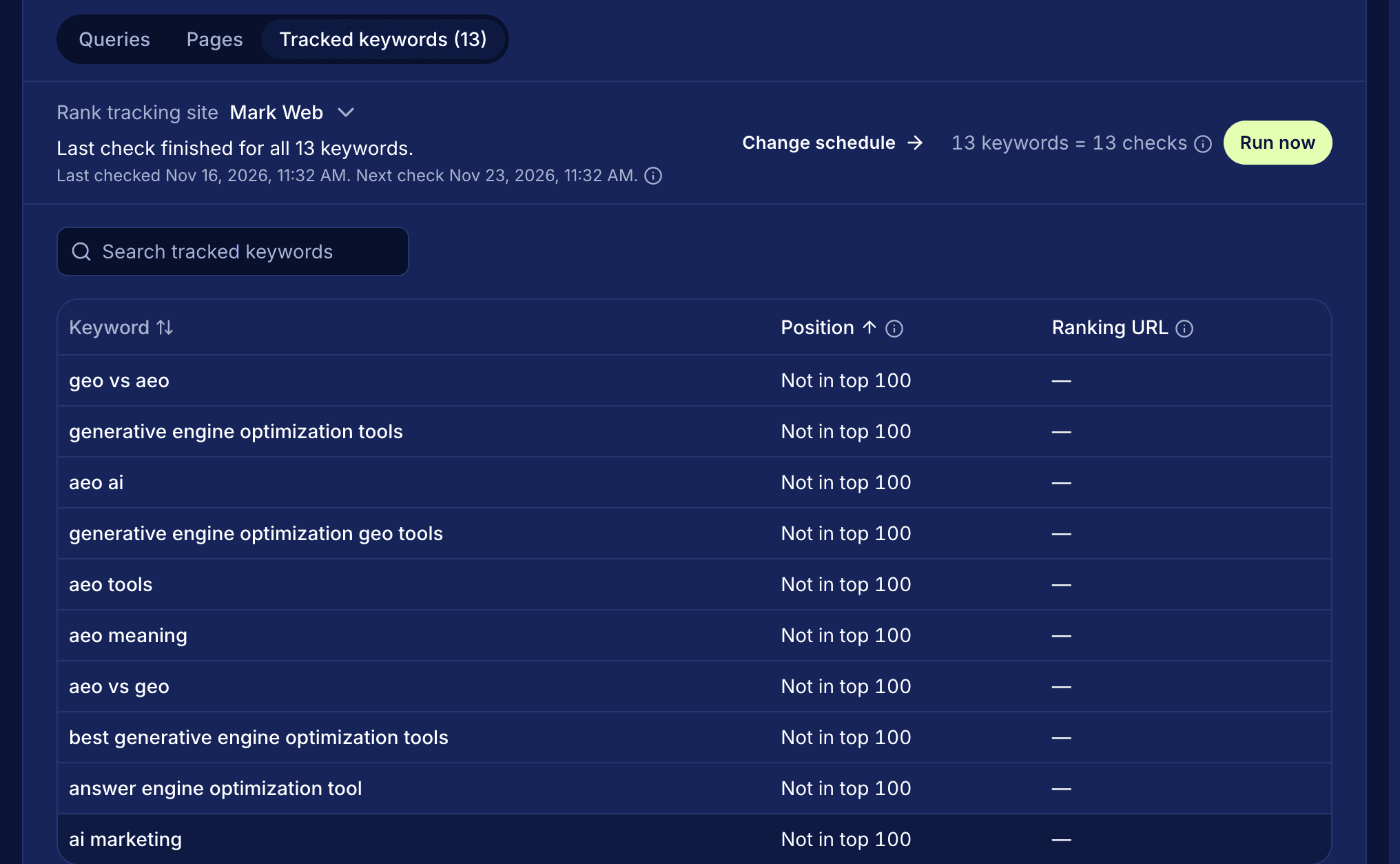
Mark's rank tracker checks where your site ranks in Google for each keyword you track, and which page on your site ranked. You run a check when you want one, or set checks to run once a week. Positions show on Performance > Search under Tracked keywords, next to your Search Console queries.
How it works
- Save keywords on Research > Keywords. Each one is tracked on your main site right away. Tracking alone starts no check.
- Open Performance, select the Search tab, then Tracked keywords. If you have more than one site, pick one in the site picker.
- Select Run now. Each tracked keyword is one check. A progress bar shows how many are done, and results can take 20 minutes or more. You can leave the page while it runs.
- To check on a schedule, set Rank checks on Research > Keywords to Weekly. Tracked keywords then shows the date and time of the next check.
- Read each row: Position, an arrow for the move since the check before, and the Ranking URL. Select the URL to open that page's view in Performance.
- Select a keyword to see a chart of its position over time and a list of every past check.
Each check also saves the People Also Ask questions Google showed for your tracked keywords. They appear as suggestions on Research > Buyer questions, and none joins your list until you add it.
Questions
How often does Mark check my rankings?
Only when you select Run now, or once a week if you set Rank checks to Weekly. Opening Performance shows positions from checks that already ran.
How deep does a check look?
The first 100 Google results. If your site isn't among them, the keyword shows Not in top 100.
What happens when a check fails?
The keyword shows Check failed, and its earlier positions stay in its history. Run the check again to retry it.
Can I see rankings for another country?
If a site is tracked in more than one locale, pick one from the buttons beside the site picker. With a market picked, the tab opens on that market's country, so ranks and Search clicks come from the same place.
Read the docs
The rank tracking guide explains each status line and table column.