Marketing dashboard for Google Search and social results
Mark's Performance page shows Google Search Console clicks, social impressions and engagement, site pageviews and leads for a date range you pick.
What it does
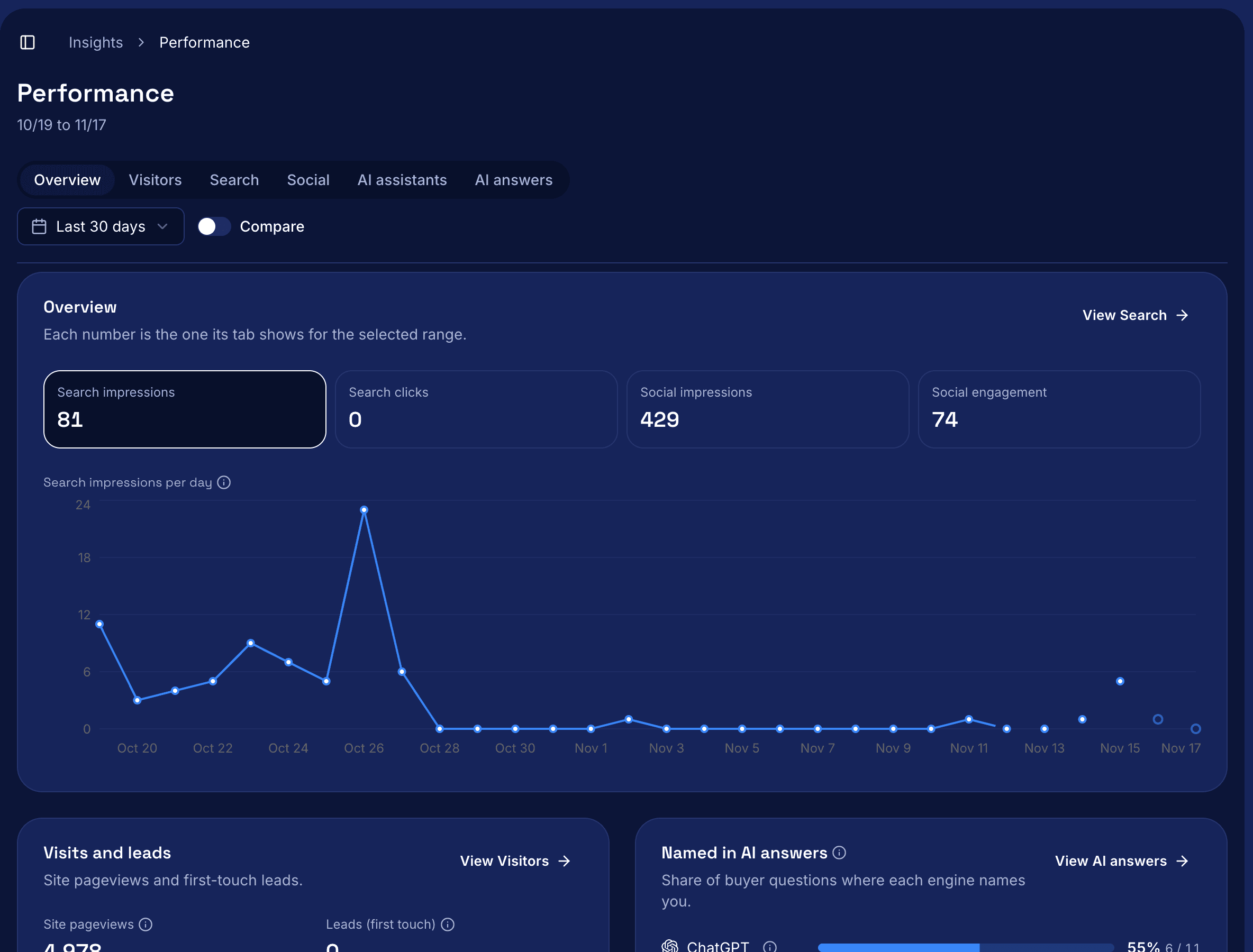
Mark's Performance page is a marketing dashboard that shows how your business did in Google Search and on social over a date range you pick. The Overview puts Search impressions, Search clicks, Social impressions and Social engagement in one card, with site pageviews, leads and how often AI engines named your business below it. Every number on the Overview matches the number its own tab shows.
How it works
- Open Performance in the sidebar. It opens on Overview for the last 30 days, with six tabs: Overview, Visitors, Search, Social, AI assistants and AI answers.
- Set the range and market. Pick Last 7 days, Last 30 days, Last month or your own dates. Turn on Compare to see the window of the same length right before it.
- Read Search. Clicks, Impressions, CTR and Average position come from Google Search Console. The table lists your top 100 queries, your top 100 pages, and the keywords you track. Pages also shows the leads each landing page brought in.
- Read Social. See impressions, engagement and tracked clicks per pillar, or select All posts to rank posts against each other. Mark reads a post's metrics daily for 30 days after it's published, then weekly until 90 days.
- Print it. The Overview prints alone on page one with the range at the top, so a print of Last month works as a monthly report.
Questions
Where do the numbers come from?
Search numbers come from the Search Console property on your Google connection. Site pageviews come from your PostHog project. Social numbers come from Mark's daily readings of each platform's counts.
What if a source isn't connected?
The number shows what's missing and a link to fix it, never 0.
Why don't my numbers match LinkedIn or Google Analytics?
Mark reads each post about once a day, so impressions can trail by up to a day. Tracked clicks are Mark's own count of visits through its tracked link. Google Analytics counts a visit only if your page loads and its tag runs.
Can I track a monthly target?
Yes, for leads. Set it on Strategy > Targets. When the range is one calendar month, the Overview shows the percent of target, like 85%, with the actual under it.
How fresh is the Search data?
Google finalizes data 2 to 3 days late. Newer days show as hollow dots marked preliminary, and the totals use final data only.
Read the docs
For every tab and number, read Read Performance.