AI referral traffic and AI assistant visits to your site
See which AI assistants fetch your pages and how many people open your site from a link in an assistant's answer.
What it does
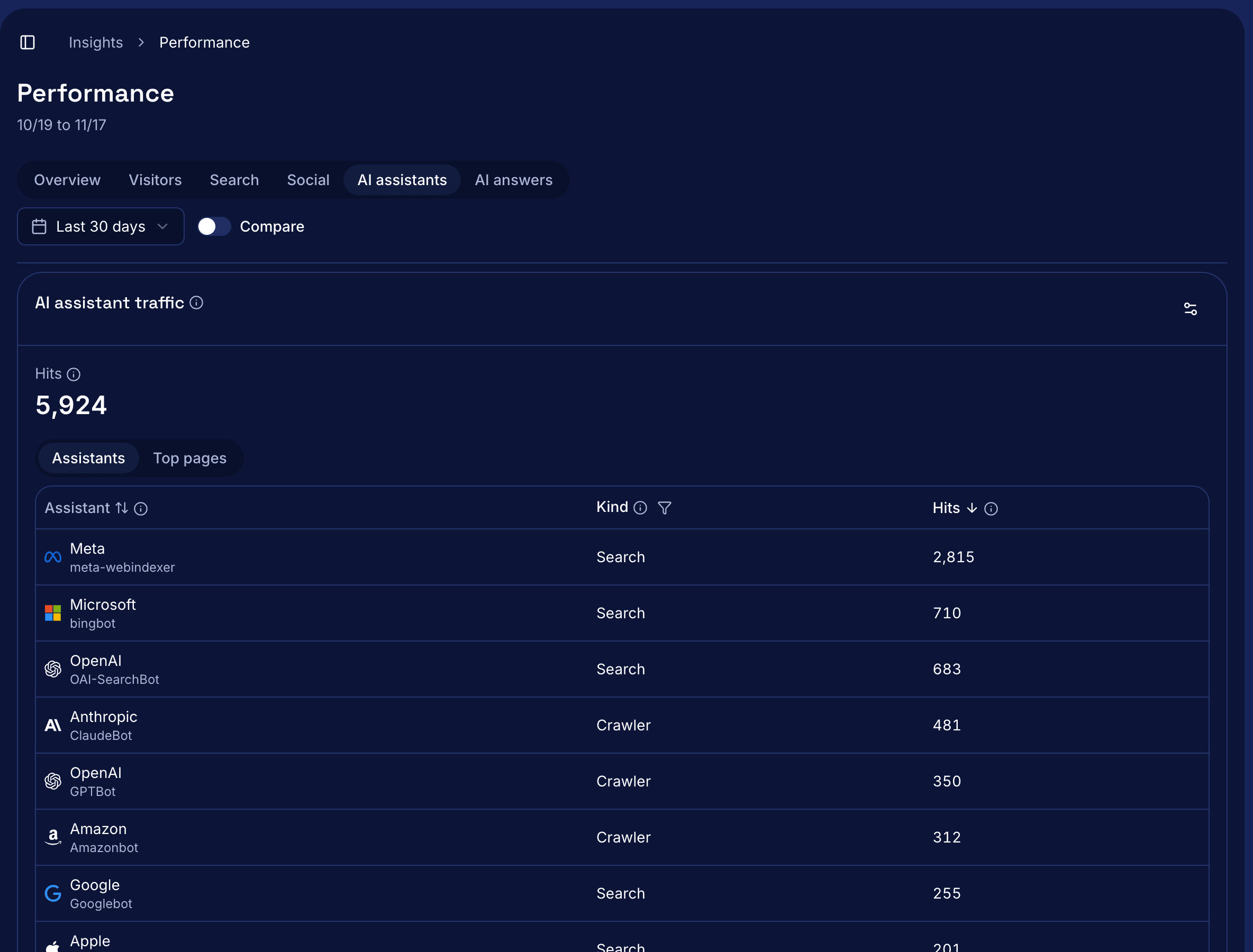
Mark tracks AI referral traffic, the people who open your site from a link in an AI assistant's answer, and the assistants that fetch your pages. Assistants like ChatGPT, Claude, Perplexity, Gemini, and Copilot don't run your site tag, so a small tracking file on your site records each fetch in your PostHog project. Performance shows those fetches in AI assistant traffic, and the AI referrals card counts the visitors who came from an assistant. A fetch means an assistant loaded a page, not that it cited or recommended you.
How it works
- Connect PostHog in Connections > PostHog.
- Open Presence > Websites and select Copy under AI assistant tracking. Save the file as
proxy.tsat the root of your Next.js project and deploy. - Select Check AI assistant tracking. Mark loads your home page as Mark-Probe and reports a result such as Receiving, Installed, Not installed, or Blocked by the site's firewall.
- Open Performance and pick a date range. AI assistant traffic shows total hits, hits per assistant grouped as Crawler, Search, or User fetch, and the 10 pages fetched most.
- The AI referrals card shows the visitors from assistants in the range, the 10 countries with the most visitors, and the top country.
Questions
What counts as an AI referral?
A visit whose pageview came from an assistant's site, such as chatgpt.com, perplexity.ai, claude.ai, gemini.google.com, or copilot.microsoft.com, or whose link carries a utm_source such as chatgpt.com. Google's AI Overviews send people from google.com, so Mark counts those visits as search.
Is the referral count complete?
No, it's a floor. Some assistant apps open links with no referrer and no utm_source, so Mark can't count those visits.
Do I need the tracking file for AI referrals?
No. The AI referrals card needs only the site tag. The tracking file is for assistant fetches, and it needs a site on Next.js 16 or later.
How do I know a hit really came from OpenAI or Anthropic?
Anyone can send a request that claims to be GPTBot, so Mark checks each hit's IP address against the lists the vendors publish. An admin can turn on Show verification to see which hits passed.
Why does my check say Installed when Performance shows no hits?
Mark's check only tests Mark-Probe, so a firewall can block real assistants while the check still passes. The docs list the user agents to let through, with steps for Vercel Firewall, Cloudflare, and Arcjet.
Read the docs
Install steps, firewall settings, and every message are in Track AI assistant traffic.