Mark

Changelog

What shipped in Mark each week: new features, improvements and fixes.

Subscribe via RSS

Content checks on every post

Mark now checks the text of every post before it goes to review.
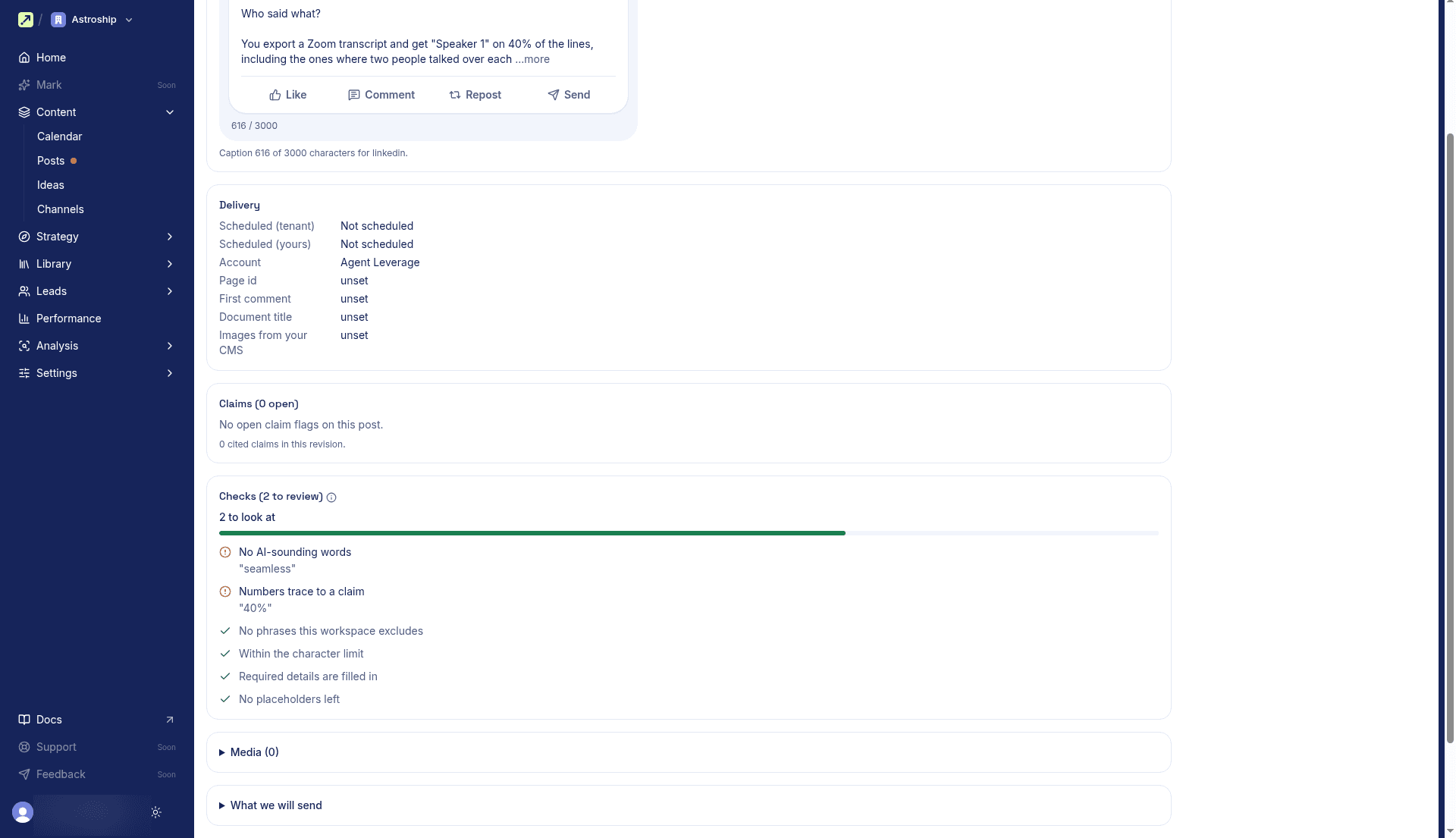
Review page for a LinkedIn post in review, with the Checks panel showing 2 to review: an AI-sounding word ("seamless") and a number no claim backs up ("40%")

Mark now checks the text of every post before it goes to review. It looks for phrases your workspace excludes, text over the channel's limit, missing required details, AI-sounding words, numbers no claim backs up, and placeholders like [needs source] left in. A failed check stops submit and names what to fix, while a warning only flags it for the reviewer under Checks on the review page and never turns off Approve.

Improvements

  • Landing pages and emails: Draft, review, and approve them like your other posts. An approved landing page goes to your website's CMS. Mark doesn't send email yet, so an approved email stays approved for you to send.
  • Review: Select Edit on a post that's in review, approved, or scheduled to change it without sending it back to draft. Saving makes a new revision and puts the post back in review.
  • LinkedIn: Post a PDF as a document carousel, and add a first comment that goes out right after the post.
  • X: Write every post of a thread in the main editor and attach media to any of them. When a post runs over 280 characters, select Split into thread.
  • CMS images: Pick a website post's cover and body images, and images for social posts, from your CMS media library. Website posts point at the existing image instead of uploading a copy.
  • Approvals: A channel set to Admins only now limits approve, request changes, and reject to workspace admins, in the app and through AI agents.
  • Channels: One row per channel, with rules and settings in a side sheet. Connecting Instagram asks which Facebook Page to post through, and Change board moves Pinterest pins without reconnecting.
  • Brand: A new Offer section records what you sell today, what's planned, and claims to avoid. Personas take pains, jobs, and your customers' own words, and the Brand page lists your content exclusions.

Fixes

  • Website posts: Links to your own site stay plain links, with no tracking redirect.
  • Website posts: When a slug is already taken in your CMS, Send preview and a failed approval show which page holds it, with Use this page to take it over.
  • CMS connection: The mapping form keeps your choices after Save mapping.
How content checks work

Publish website posts to your CMS

Approved blog posts, FAQ pages, and competitor pages now go to your website's Payload CMS, the same way social posts go to their channels.

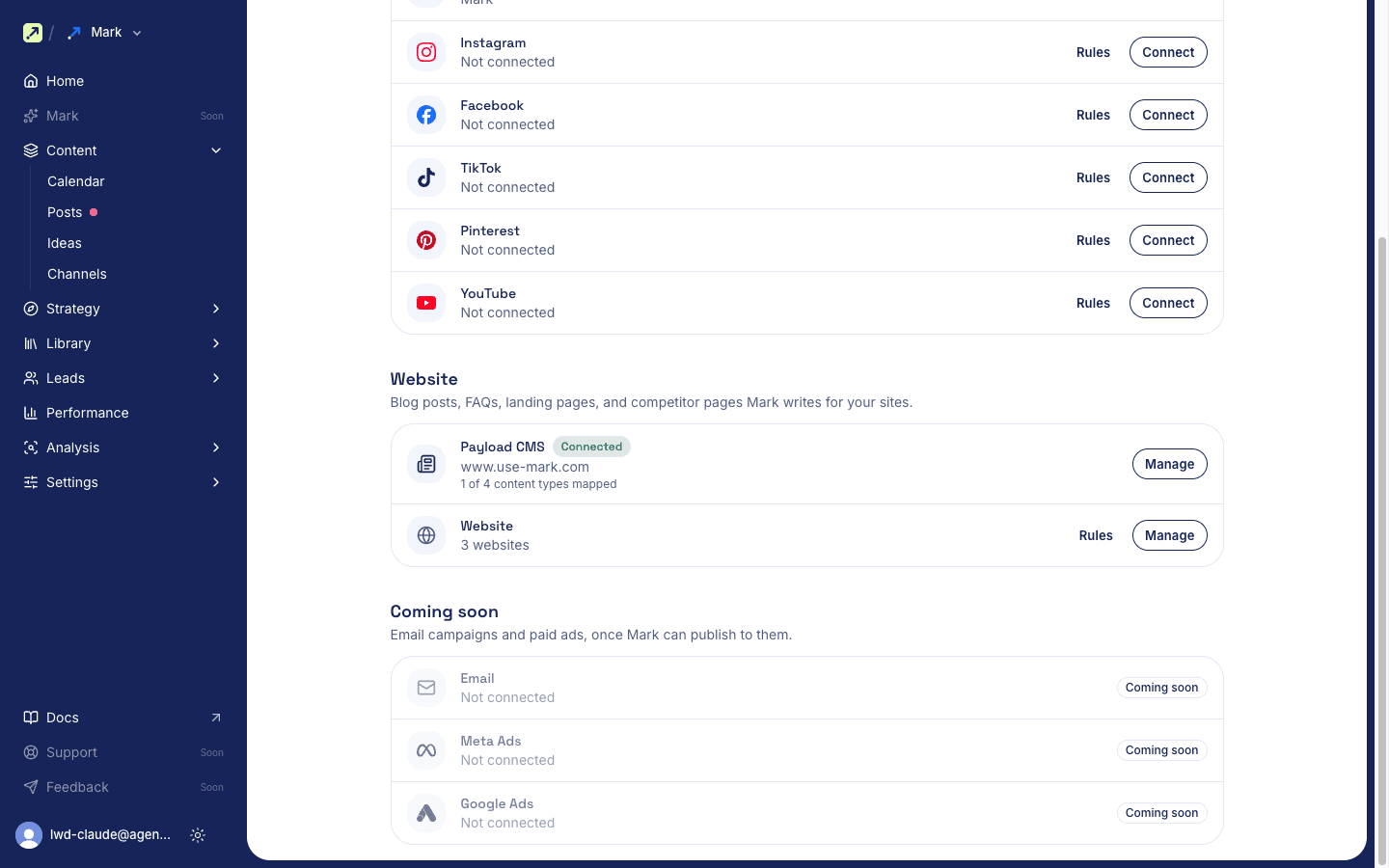
Mark Content > Channels page with the Payload CMS card marked Connected under Website

Approved blog posts, FAQ pages, and competitor pages now go to your website's Payload CMS, the same way social posts go to their channels. Connect it under Content > Channels > CMS and pick which collection each post type goes to. Before you approve, select Send preview to see the post as a draft on your own site. Mark saves it in your CMS only after approval, as a draft or live, whichever you choose.

Improvements

  • Ideas: Log what's worth making content about under Content > Ideas, then draft a post for any channel from an idea.
  • AI answers: The weekly check now asks Claude and Perplexity too, six engines in all.
  • AI answers: When answers stop citing a page Mark published, Mark drafts a refresh of that post and puts it in review. Approving updates the live page.
  • Competitors: Track up to 50 competitors, up from 9.
  • Site audit: See what your robots.txt tells each AI crawler, and whether Article and author schema are set.
  • Website posts: Link a post to the buyer questions it answers, and see which questions have no page yet.
  • Posts: The posts list and review page show who approved each post.
  • Post editor: A writing canvas with Edit and Preview tabs, a settings column, and a Pillar picker. Tables stay tables.
  • Instagram: Carousels take up to 10 items, with alt text on each slide.
  • Assets: Browse assets by Drive folder. Moving or renaming a file in Drive updates it in Mark.
  • AI agents: Settings > AI agents shows your MCP address, an address for this workspace only, and setup prompts for Claude, ChatGPT, Cursor, and others.

Fixes

  • CMS connection: The API key and fields you entered stay after Test and Save.

How publishing to your website works