AI social media post generator with a person's approval
Mark drafts social posts in your brand voice and sends each one to review. A person approves, requests changes or rejects it before it goes out.
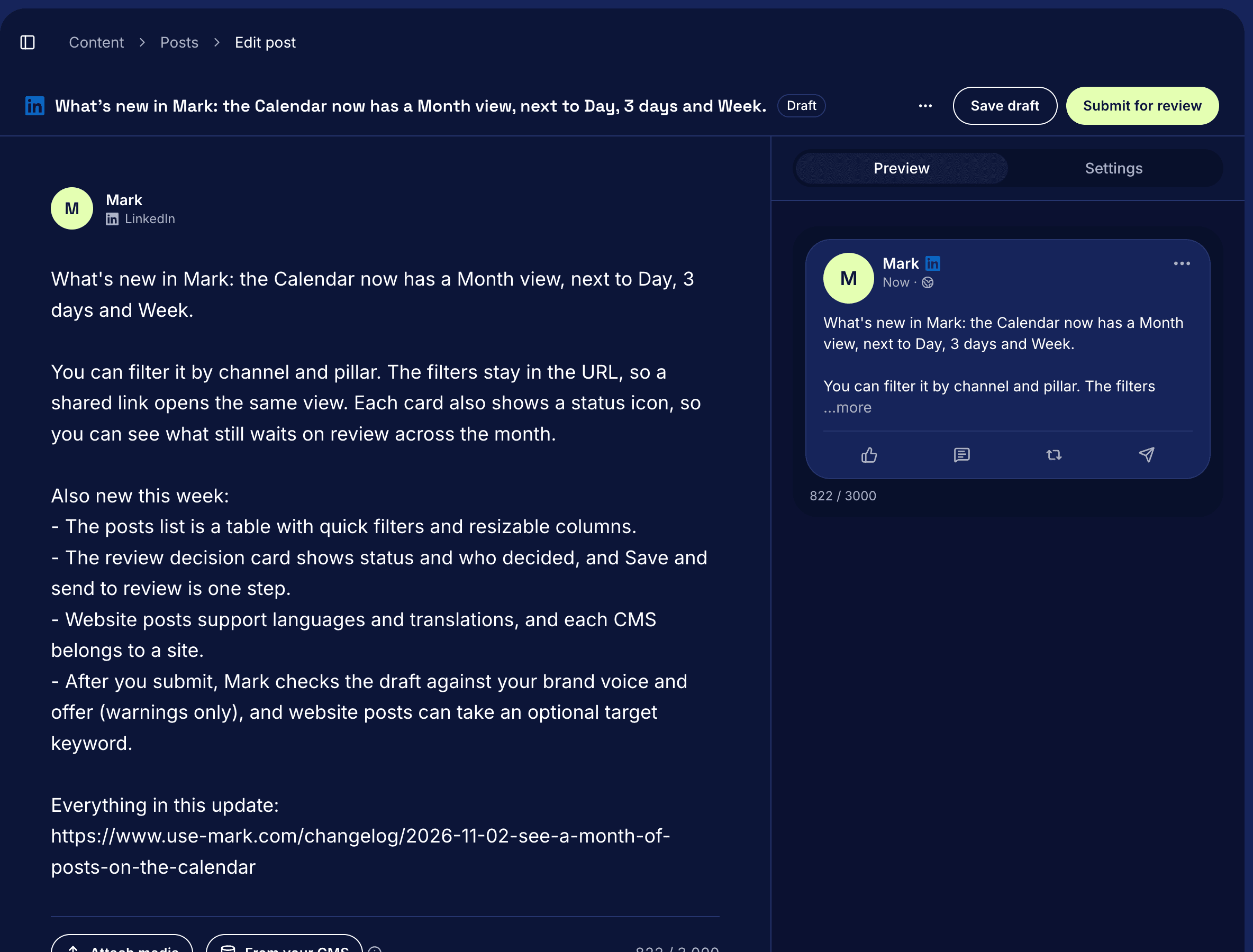
What it does
Mark drafts social posts from your brand facts and voice, and by default a person reviews and approves each one before it goes out. Every post Mark drafts follows the company name, positioning and tone you set under Strategy. You can also ask your own AI agent, like Claude or ChatGPT, to draft a post in Mark, and it lands in the same review queue with the same rules.
How it works
- Start a draft. On Content > Posts, select New post, pick a channel and select Create draft. Or ask your agent: "Write a LinkedIn post about our new pricing."
- Edit and preview. The counter under the post shows its length against the channel's limit, like 180 / 2,200 on Instagram. The Preview tab shows the post the way the channel shows it.
- Clear the checklist. It lists what the channel needs before review, like a video for YouTube. It also flags phrases your workspace excludes and numbers no claim backs up.
- Submit for review. The post moves to Needs review, and a red dot next to Posts shows that posts are waiting.
- Decide. On the review page, check the preview, when it goes out and the account it posts from. Select Approve, or Request changes or Reject with a note. An open claim flag blocks Approve until someone resolves it.
- Publish. Mark hands an approved social post to the publisher, and it goes out at its scheduled time.
Questions
Does Mark publish a post without my approval?
Not by default. A person approves each post. You can set a channel's Approval policy to Auto, which approves a post with no claim flags as soon as it's ready.
Which channels can Mark draft for?
Instagram, X, Facebook, LinkedIn, TikTok, Pinterest and YouTube, plus blog posts, FAQs and competitor pages for your website.
Can I approve several posts at once?
Yes. Under Needs review, tick the posts and select Approve. Mark skips a post with open claim flags, or one that changed after you opened the list, and says why.
What happens if I edit an approved post?
Saving the edit creates a new revision and sends the post back to review, so someone approves it again. Changing only its pillar or angle keeps the approval.
Can I approve posts from Claude or ChatGPT?
Yes. Approve a post, request changes or reject it from its preview in the chat.
Read the docs
For every step, read Create and submit a post and Review and approve posts.