Publish website posts to your CMS
Approved blog posts, FAQ pages, and competitor pages now go to your website's Payload CMS, the same way social posts go to their channels.
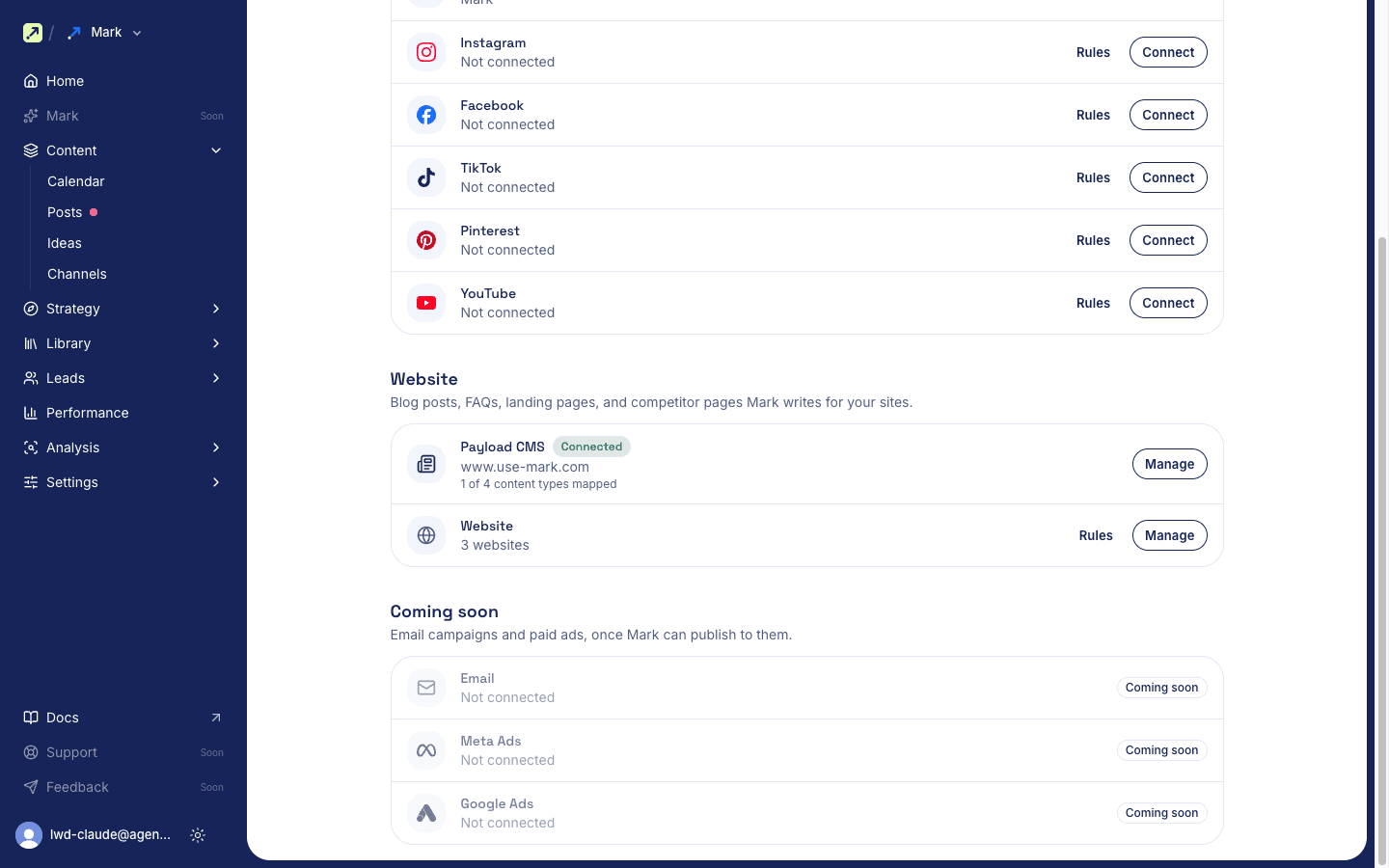
Approved blog posts, FAQ pages, and competitor pages now go to your website's Payload CMS, the same way social posts go to their channels. Connect it under Content > Channels > CMS and pick which collection each post type goes to. Before you approve, select Send preview to see the post as a draft on your own site. Mark saves it in your CMS only after approval, as a draft or live, whichever you choose.
Improvements
- Ideas: Log what's worth making content about under Content > Ideas, then draft a post for any channel from an idea.
- AI answers: The weekly check now asks Claude and Perplexity too, six engines in all.
- AI answers: When answers stop citing a page Mark published, Mark drafts a refresh of that post and puts it in review. Approving updates the live page.
- Competitors: Track up to 50 competitors, up from 9.
- Site audit: See what your robots.txt tells each AI crawler, and whether Article and author schema are set.
- Website posts: Link a post to the buyer questions it answers, and see which questions have no page yet.
- Posts: The posts list and review page show who approved each post.
- Post editor: A writing canvas with Edit and Preview tabs, a settings column, and a Pillar picker. Tables stay tables.
- Instagram: Carousels take up to 10 items, with alt text on each slide.
- Assets: Browse assets by Drive folder. Moving or renaming a file in Drive updates it in Mark.
- AI agents: Settings > AI agents shows your MCP address, an address for this workspace only, and setup prompts for Claude, ChatGPT, Cursor, and others.
Fixes
- CMS connection: The API key and fields you entered stay after Test and Save.