How to Respond to Google Reviews (Good and Bad), With Examples
How do I respond to reviews on Google? Step-by-step replies from your Business Profile, plus copyable examples for 5-star, mixed, negative and fake reviews.
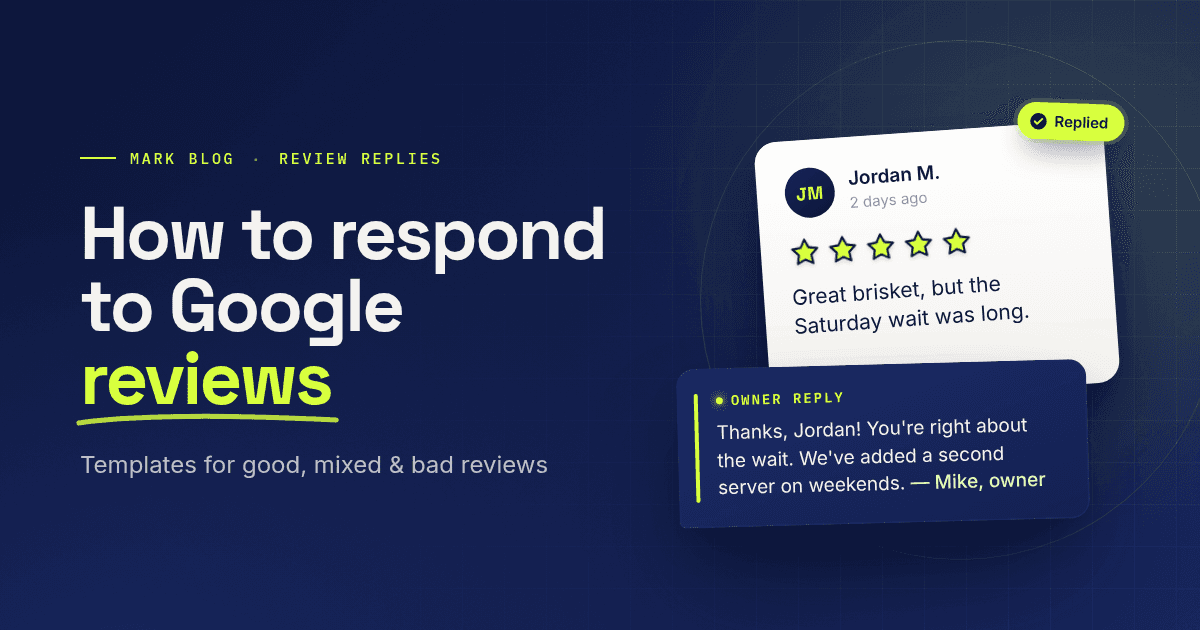
To respond to a review on Google, open your verified Business Profile on Google Search or in the Google Maps app, select Read reviews, choose Reply next to the review, write a short, specific reply, and post it. Thank happy customers by name, and answer unhappy ones with an apology where it fits, one concrete fact, and an offer to sort it out offline. Report fake or abusive reviews instead of arguing with them.
The rest of this guide covers how replying works in Google Business Profile, the rules Google sets for replies, and copy-and-edit examples for 5-star, mixed, negative and fake reviews. Every mechanic below comes from Google's own Business Profile help pages and its Maps content policy, checked on October 28, 2026.
How do I respond to reviews on Google?
You respond to reviews on Google from your Business Profile, and only after the business is verified. Google's help page lists five steps: go to your Business Profile, select Read reviews, select Reply next to the review, enter your reply in the dialog box, and select Reply again. The same steps work on a computer through Google Search and on a phone through the Google Maps app.
On a computer (Google Search)
- Sign in to the Google Account that manages your Business Profile.
- Search Google for your business name to open your Business Profile.
- Select Read reviews.
- Next to the review, select Reply, write your reply, then select Reply to post it.
On a phone (Google Maps app)
- Open the Google Maps app while signed in to the account that manages the profile.
- At the bottom right, tap Business, then tap Reviews.
- Tap Reply on the review, write your reply, and post it.
Who can reply
Owners and managers of a Business Profile can both respond to reviews, according to Google's owners and managers help page. Managers have almost the same access as owners; the main difference is that managers can't add or remove users or remove the profile. To let a teammate reply, add them under Business Profile settings > People and access. Replies a person posted stay on the profile even after you remove that person.
What happens after you post a reply
After you post, Google checks your reply against its content policies before showing it. Google's help page says replies usually take up to 10 minutes to review, but sometimes up to 30 days. If a reply isn't approved, Google asks you to edit it. Once approved, the reply appears publicly under the review as your business, without your personal name, and the customer gets a notification.
A few details owners often miss:
- The reviewer can still change the review. Customers can update their review after reading your reply, and the review date changes to show the latest update.
- Your name doesn't show. The reply reads as the business, so sign off with your first name or initials if you want it to feel personal. Google's tips page recommends exactly that.
- You can edit or delete a reply later. Go to Read reviews, select Edit under your reply, change it, and select Update, or select Delete to remove it.
- You can share a great review. In Google Maps, open the review's More menu and choose Share review to copy a direct link.
Principles for replying to Google reviews
Google's own guidance on review replies comes down to five rules: be professional and polite, keep it short, make each reply count instead of pasting the same thank-you everywhere, stay conversational rather than promotional, and never share a reviewer's private information. For negative reviews, Google adds: apologize when it fits, be honest about what went wrong and what you can't control, personalize the reply, and respond promptly.
Do | Don't |
|---|---|
Use the reviewer's name and mention what they actually said | Paste the same "Thanks for the review!" on every review |
Keep it to a few sentences | Write a long defense of every point |
Sign off with your first name or initials | Hide behind a faceless "Management" |
Move complex problems to phone or email | Ask for order numbers or personal details in public |
Explain what you'll change, or what you can't control | Blame the customer or argue the facts in public |
Share a useful detail, like new hours or a related service | Use the reply to push deals or promotions |
The last row matters for policy as well as tone. Google prohibits offering incentives, such as free or discounted goods or services, in exchange for posting, changing or removing a review. Never offer a discount for an edited or deleted review, even privately.
How to respond to positive Google reviews
To respond to positive Google reviews, thank the reviewer by name, mention the specific thing they liked, and add one useful detail that gives them a reason to come back. Google's tips page says you don't need the same thank-you on every review; focus on the ones where you can share an update or answer a question. Two or three sentences is plenty.
5-star review, specific praise
Thanks, Priya! We're glad the same-day repair got your AC running before the weekend. We're booking fall furnace tune-ups now if you want one before winter. — Dan, owner
5-star review, no text (rating only)
Thanks for the five stars, Marcus. We appreciate you choosing us, and we hope to see you again soon. — Sofia
Repeat customer
Elena, thank you for coming back for the third season in a row. Our fall menu starts next week, and the squash soup you asked about is on it. — Chef Ana
Never offer a reward in exchange for the review itself. Google's policy prohibits incentives for posting, changing or removing reviews.
How to respond to mixed Google reviews
A mixed review, usually three or four stars, praises one thing and criticizes another. Reply to both halves: thank the reviewer for what went well, acknowledge the problem plainly, and say what you're doing about it. Skip excuses. Readers scanning your reviews want to see that you heard the criticism, not that you only answered the compliments.
4-star review: great food, slow service
Thanks, Jordan. We're glad you loved the brisket, and you're right that the wait on Saturday was too long. We've added a second server on weekend evenings to fix that. Hope to see you back soon. — Mike, owner
3-star review: good result, poor communication
Hi Laura, thank you for the honest feedback. We're happy the new deck turned out the way you wanted, and we're sorry the schedule changes caught you off guard. Going forward, our project leads send a text update whenever a date moves. — Kim, Kim's Carpentry
How to respond to negative Google reviews
To respond to negative Google reviews, reply promptly and calmly, apologize where it fits, address the specific complaint, and invite the customer to continue the conversation by phone or email. Google's help page says negative reviews aren't necessarily a sign of poor business practices, and constructive replies can even encourage the customer to update their review. Never argue, reveal private details, or attack the reviewer.
A four-part structure that works for most bad reviews:
- Thank and name them. "Hi Sam, thank you for letting us know."
- Apologize for the experience. "We're sorry your order arrived cold."
- State one fact or fix. "That's not our standard, and we've changed how we pack delivery orders."
- Take it offline. "Please call me at the shop so I can make this right." — sign with your name.
1-star review: a real mistake
Hi Sam, thank you for telling us, and I'm sorry your order arrived cold and late on Friday. That's on us. We've changed how we pack delivery orders so food stays hot. Please call me at the restaurant so I can make it right. — Rosa, owner
1-star review: something outside your control
Hi Chris, I'm sorry the weather forced us to cancel your tour. We know how disappointing that is after planning a trip. We cancel only when conditions aren't safe, and we now send a cancellation text the evening before whenever the forecast looks risky. Please reach out by phone and we'll help you rebook. — Tom
2-star review: you disagree with the facts
Hi Dana, thank you for the feedback. I'm sorry the visit didn't meet your expectations. I couldn't match the details here to our appointment records, and I'd like to understand what happened. Could you call or email the office so we can look into it together? — Dr. Lee's office
That last example stays polite and factual without accusing the reviewer of anything. Readers see a business that checks its records and wants to fix problems.
How to respond to bad reviews on Google that look fake
To respond to bad reviews on Google that look fake, report the review for a policy violation first, then post a short, neutral reply in case it stays up. Google's help page says you can report any review, but only reviews that violate Google policies are eligible for removal, and you shouldn't report a review just because you disagree with it or dislike it.
Google's Maps content policy treats these as fake engagement or other violations that can be removed:
- Content not based on a real experience at your business
- Paid reviews, paid "directly or in kind"
- Reviews posted from multiple accounts by one person
- Reviews posted on a competitor's business to damage its reputation
- Reviews based on a conflict of interest, such as current or former employees
- Personal information, harassment, hate speech, and profanity
How to flag a review
- Go to your Business Profile and select Read reviews.
- Next to the review, select Report.
- Choose the reason, such as "Spam" or "Profanity", and select Send report.
Google says evaluation typically takes several days, and you can check the status in the Reviews Management Tool. If Google finds no violation and you disagree, the tool allows a one-time appeal, and you can select up to 10 reviews in it. If your profile is being targeted by an extortion scam involving negative reviews, Google's report page links to a separate incident report.
Reply to a review you can't find in your records
Hi Alex, we take every review seriously, but we can't find any record of a visit or order under this name. If we've missed something, please contact us directly so we can look into it. — The Greenway Bakery team
Keep the reply short and calm. Don't accuse the reviewer of lying or name a competitor; future customers read your reply too.
What not to do when replying to Google reviews
The fastest way to turn one bad review into a bigger problem is to reply in anger. Google's guidance and content policy rule out several common mistakes, and replies that break its policies may not be approved for posting. Check your draft against this list before you post a reply, especially to a review that stings.
- Don't offer incentives to post, change or remove a review. Google prohibits it.
- Don't share personal details such as the customer's full name, appointment details, health or account information.
- Don't argue or attack. Disagree with facts politely, once, and move the conversation offline.
- Don't paste one template everywhere. Google's tips page warns against sending the same thank-you to everyone.
- Don't advertise. Google advises keeping replies conversational, not promotional.
- Don't discourage negative reviews or ask only happy customers to post. Google's policy bans discouraging negative reviews and selectively asking for positive ones.
- Don't report reviews just because they're negative. Only policy violations are removed.
FAQ
Can I respond to Google reviews if my business isn't verified?
No. Google's help page says you must verify your business before you can reply to reviews. After verification, you can reply from your Business Profile on Google Search or in the Google Maps app.
How long does it take for my reply to show up?
Google checks replies against its content policies first. According to Google's help page, replies usually take up to 10 minutes to review, but sometimes up to 30 days. If a reply isn't approved, Google asks you to edit it.
Does the customer see my reply?
Yes. Your approved reply is public under the review, and the reviewer gets a notification when you reply. The reply shows as your business, not your personal name, and the customer can still change their review afterward.
Can I edit or delete my reply to a Google review?
Yes. Open your Business Profile, select Read reviews, then select Edit under your reply to change it and Update to save. Select Delete to remove the reply.
Can I get a bad review removed from Google?
Only if it violates Google's policies, such as fake engagement, conflicts of interest, harassment or personal information. Report it from your Business Profile with the Report option. Google says it doesn't get involved in disagreements between businesses and customers, so an honest negative review stays up.
Should I respond to every Google review?
Respond to every negative or mixed review, and to positive reviews where you can add something useful. Google's tips page suggests focusing on reviews where you can share an update or answer a question instead of sending the same thank-you to everyone.
Can my employees reply to reviews?
Yes, if you add them as owners or managers of your Business Profile. Both roles can respond to reviews. Their replies show as the business, so agree on a sign-off and a tone before they start.
The short version
Reply from your verified Business Profile on Google Search or in the Google Maps app, keep each reply short and specific, sign it with your name, and take real problems offline. Thank happy customers with a detail, answer mixed and negative reviews with an apology and a fix, and report reviews that break Google's policies instead of fighting them in public.
Reviews are one place customers describe your business; AI answers are another. If you want to know whether ChatGPT, Gemini, Google AI Overviews and other AI engines mention your business when buyers ask, Mark checks that every week.